
TikTok Profile Picture Downloader
This TikTok profile picture downloader takes a profile link or @username and shows the full-size picture, followers and bio. Free, unlimited, no sign-up.
What you get
How to download a TikTok pfp in three steps
The TikTok profile picture downloader works in Safari, Chrome or any other browser, on a phone or a computer.
- 1
Copy the profile link or @username
On the account's TikTok profile, tap Share, then Copy link. Or copy the @username shown under the display name.
- 2
Paste it and press the button
Paste it into the box above and press Get Profile Picture. A link like tiktok.com/@name works, and so does a plain @name.
- 3
Check the card, then save
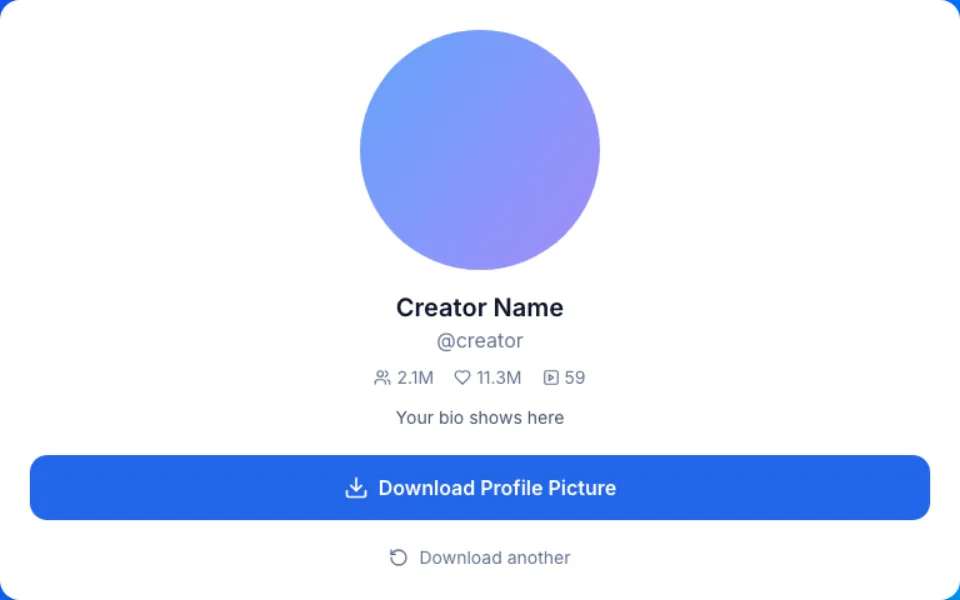
The result shows the picture with the name, @username, followers, likes, video count and bio. Press the download button to save the picture as a JPG.
Why save a TikTok profile picture here
One lookup in the TikTok profile picture downloader gives you the picture and the public numbers of the account.
The square file, not the circle
TikTok draws every profile picture as a small circle. This page saves the square JPG behind it. Our test account returned 1080x1080 pixels; other accounts may return different sizes.
Stats that confirm the account
Followers, likes, video count and bio sit under the picture. Fan and copycat accounts can reuse a creator's picture, and the numbers show which one is the real account.
A link or just the @username
Paste tiktok.com/@name from the browser, the link from the app's Share button, or type @name. If you know the handle, you don't need to open TikTok at all.
Usually straight from TikTok
Your browser normally downloads the picture directly from TikTok. If that fails, our server streams it to you without saving the file.
Nothing added to the picture
No logo, no frame and no extra compression from us. You get the JPG exactly as TikTok serves it.
TikTok profile picture: download, screenshot or ask?
Three ways to get someone's TikTok pfp at a usable size, and what each one gives you.
| This downloader | Screenshot of the profile | Asking the account owner | |
|---|---|---|---|
| What you get | The square picture as TikTok stores it | The circle, with the app around it | Their original file |
| Size | 1080x1080 in our test; other accounts may differ | Only as big as the circle on your screen | Whatever they kept |
| Stats and bio | Followers, likes, videos and bio on the card | Only what fits on the screen | Not part of it |
| What you need | A profile link or @username | The profile open in the app | A reply from them |
| Editing needed | None | Crop out the buttons and the frame | None |
| Permission to reuse | Not included: the picture stays theirs | Not included | You can ask in the same message |
Who uses a TikTok pfp downloader
Most lookups are about a picture someone already knows, just too small to see.
Your own avatar before a change
Save your current picture before you replace it, so you can switch back. Handy when the original file is long gone from your phone.
The logo your team uploaded
Get the exact logo on the company account for a slide, a badge or a print order, without digging through old exports.
Checking an account before you reply
A brand offer or a follow request from a name you don't know? Open the picture at full size and read the numbers and bio before you answer.
A contact photo for a friend
Set a friend's TikTok picture as their contact photo on your phone, after a quick yes from them.
A reference for your own design
See how a creator's picture uses color, framing and contrast at full size, as a private reference before you design your own.
TikTok pfp size: 200 x 200 or 1080 x 1080?
Most TikTok pfp guides quote 200 x 200 pixels as the recommended size. Treat that as a minimum that fills the small circle. It is not the size people see when they open your picture at full size.
Our test account returned a 1080x1080 JPG, and this page saves the full-size picture TikTok lists for an account. Other accounts may return different sizes, and then the saved file differs too. We save the available image without enlarging it, since no tool can add detail that was never there.
So when you pick a new picture, start from a square of at least 1080 by 1080 pixels. It stays sharp in the circle and when someone opens it.
Before you upload a new TikTok profile picture
If you came for TikTok pfp ideas, these checks matter more than the style you choose.
- Start from a square image of at least 1080 by 1080 pixels.
- Keep the face, logo or text in the middle, because TikTok shows the picture as a circle and hides the corners.
- Leave room around a wordmark so its first and last letters survive the circle.
- Check it small: one clear subject with strong contrast reads best in a busy feed.
- Use a photo you took, or art you have the rights to, never another creator's picture.
- After the upload, run your own @username through the TikTok profile picture downloader to see the full-size file others can open.
TikTok pfp download mistakes and fixes
What usually goes wrong, and what to do instead.
Mistake: Typing the display name, the big name at the top of the profile
Do this instead: Use the @username, the handle that starts with @ under the name. Display names can have spaces and emoji, and many accounts share them.
Mistake: Screenshotting the circle and cropping it
Do this instead: Paste the profile link instead. A screenshot only holds the few pixels the circle had on your screen.
Mistake: Expecting an enlarged or 4K profile picture
Do this instead: We save the image TikTok makes available without enlarging it. Our test account returned 1080x1080; other accounts may differ.
Mistake: Looking up account after account without a pause
Do this instead: Two lookups need a short gap. If you see Please wait a moment, wait a couple of seconds and press the button again.
Mistake: Putting someone else's pfp on your own profile
Do this instead: It can pass for impersonation, and the picture belongs to them. Pick a photo of your own.
Privacy and limits of this TikTok pfp viewer
What the TikTok profile picture downloader does when you look up an account, and what it can't do.
Nothing kept on our side
Nothing you download is ever saved on our servers. The picture normally loads in your browser straight from TikTok, so TikTok sees your IP address for that request, as on any visit to TikTok. If that fails, our server streams it to you without saving it.
Free and unlimited
Look up as many accounts as you like, with no account, app or extension. Only a short pause between two lookups applies.
Public pictures only
A private account may still show its picture, but only if TikTok shows it publicly. We can't promise it, and nothing kept for followers ever appears here.
Not TikTok, and not your picture
We are not affiliated with TikTok or ByteDance. A profile picture belongs to its owner: saving it to look at is fine, reusing or reposting it needs their permission.