
TikTok Video Downloader
This TikTok video downloader saves any public video as an MP4 without the watermark, in standard or HD. Free and unlimited, no app, no sign-up.
What you get
How to download a video from a TikTok link
The TikTok video downloader works in three steps, the same on a phone and on a computer.
- 1
Copy the video link
In the TikTok app tap Share, then Copy link. On a computer, copy the address of the video page. Short vm.tiktok.com, vt.tiktok.com and tiktok.com/t/ links work too.
- 2
Paste it and check the post
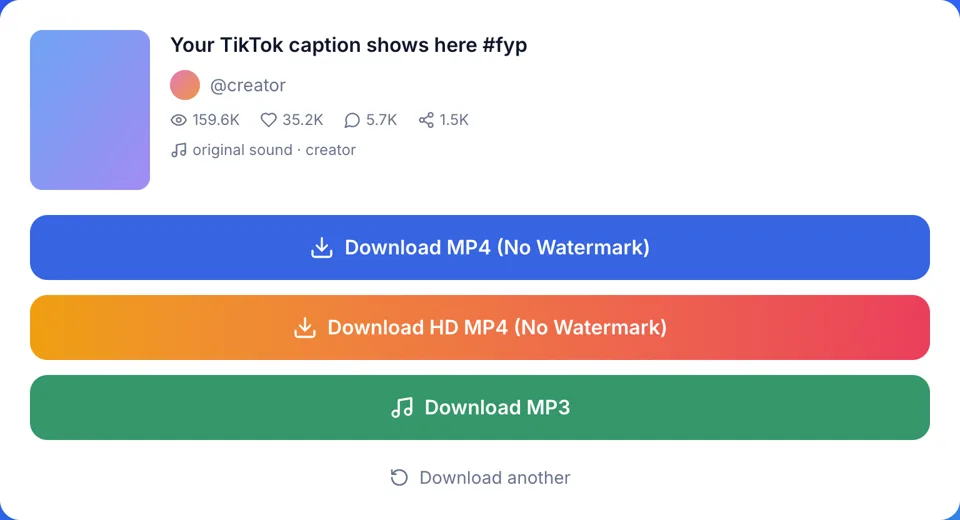
Paste the link into the box above and press Download. The result card shows the cover, caption, @author, play and like counts and the sound name, so you can confirm it's the right video.
- 3
Pick standard or HD
Tap Download Without watermark for the standard file, H.264 when TikTok has it. If a second Without watermark HD button appears, that is TikTok's higher-resolution version.
What this TikTok downloader gives you
TikTok to MP4, no watermark
The file is a plain MP4 without the TikTok logo and username, and we add no branding of our own.
Two files, labeled honestly
The standard file is H.264 when TikTok has it, a codec many common players support. The HD file is TikTok's higher-resolution copy and is often H.265 (HEVC). Playback depends on the codec you get and your device.
HD only when the resolution is higher
The HD button only shows up when TikTok holds a higher-resolution copy than the standard one. One button means the standard file is already the highest resolution TikTok offers for that video.
Files named after the caption
The MP4 is saved under the post's caption instead of a string of digits. A folder of downloads stays easy to search on a desktop.
Clear errors instead of a spinner
Private, deleted and region-blocked posts each get their own message, and so does a profile link. You know at once whether trying again will help.
TikTok video download: HD, standard or Save video?
What each option of the TikTok video downloader gives you, next to the Save video button inside the app.
| Standard file | HD file | In-app Save video | |
|---|---|---|---|
| TikTok watermark | No | No | Usually, logo and username |
| Video codec | H.264 when available | Often H.265 (HEVC) | Varies |
| Plays on | Many common players; depends on your device | Recent phones and computers; older players may need HEVC support | Your phone's gallery |
| Resolution and file size | Standard resolution, size varies by encoding | Higher resolution, file can be smaller or larger | Varies |
| When it's offered | Every video post | Only if TikTok has a higher-resolution copy | Only if the creator allows downloads |
| Needs | A browser | A browser | The TikTok app and an account |
Using the TikTok video downloader on each device
iPhone and iPad
In Safari the MP4 lands in the Files app under Downloads. Open it, tap Share and choose Save Video to move it into Photos.
Android
Chrome saves the MP4 to the Downloads folder, and most gallery apps pick it up right away. No app or extension to install.
Windows and Mac
The video goes to your browser's download folder under the caption's name. Some Windows PCs need Microsoft's HEVC extension or VLC to play the HD file, so take the standard one if it won't open.
Editing in an app
Older editing apps may refuse an HEVC file. Save the standard file from the TikTok video downloader instead; H.264, when TikTok has it, is widely supported by editing apps.
Class or a presentation
Play the standard file from a laptop or a USB stick instead of relying on the feed and the venue Wi-Fi. Test it on the venue's screen beforehand, since playback depends on the codec and the device.
Common TikTok video download mistakes, and the fix
Mistake: Saving in the app and cropping the logo out
Do this instead: The watermark moves around the frame, so a crop cuts picture and still misses it. Download the clean MP4 here instead.
Mistake: Screen recording the video
Do this instead: A recording picks up notifications, the UI and a lower resolution. The downloaded file is the video itself.
Mistake: Keeping an HD file that shows no picture
Do this instead: Your player likely lacks HEVC support. Download the standard file, or open the HD one in VLC.
Mistake: Sending the HD file to an older phone
Do this instead: If you don't know what the other person uses, send the standard file. It is H.264 when TikTok has it, which more players support than HEVC.
Mistake: Re-uploading someone else's clip as your own
Do this instead: Download only videos you made or have permission to use, for personal use, and credit the creator.
What happens to the videos you download
Nothing is kept
Nothing you download is ever saved on our servers. We never ask for your TikTok login or password.
Free with no limit
Every download from the TikTok video downloader is free and unlimited. There is no account, no app and no browser extension.
The limits, plainly
Private posts, deleted posts and posts blocked in our server's region can't be downloaded. We are not affiliated with TikTok or ByteDance.