
TikTok Transcript
Get a TikTok transcript from the captions TikTok already has for the video, in up to three languages. Copy it or save TXT, SRT or VTT. Free, no sign-up.
What you get
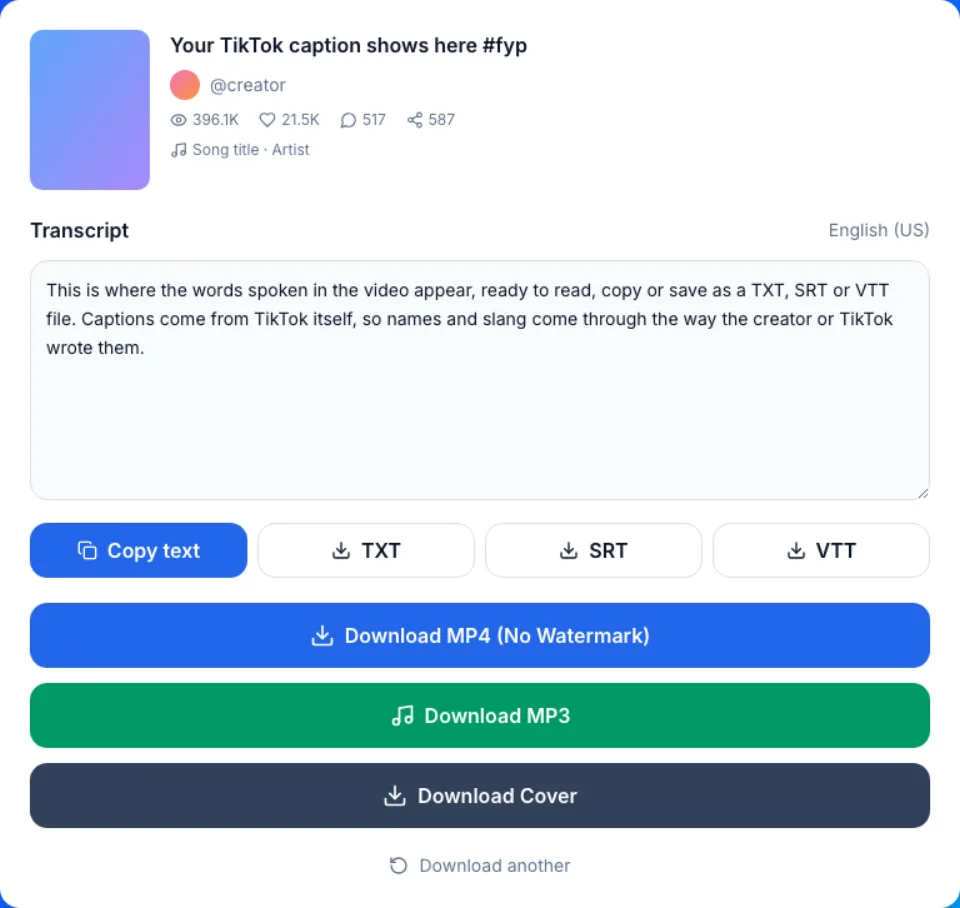
How to get the transcript of a TikTok video
Three steps, in any mobile or desktop browser. No app, no extension, no account.
- 1
Copy the video link
In the TikTok app or on tiktok.com, tap Share, then Copy link. Full /video/ links and short vm.tiktok.com, vt.tiktok.com or tiktok.com/t/ links all work.
- 2
Paste it and press Get Transcript
The result card shows the TikTok transcript in a text box, with the caption language next to it.
- 3
Pick a language, then copy or save
If the video has more than one caption track, choose it from the menu. Copy the text, or save it as TXT, SRT or VTT.
What this TikTok transcript generator gives you
TikTok's own captions, not a guess
The text comes from the captions TikTok stores for the video: the creator's own captions when they added them, otherwise TikTok's automatic ones. We don't run a second speech-to-text pass on top.
Up to three languages, labelled
When TikTok has the captions in more than one language, a menu lets you switch, up to three. Tracks that TikTok machine-translated are marked translated, so you know which one is the original speech.
Timed files for editors
SRT and VTT keep the start and end time of every caption line, so you can drop them into a video editor or a web player. TXT is the plain words for reading and pasting.
Free and unlimited
Every transcript is free, with no daily cap, no sign-up and no credits to buy. The same card also offers the video as MP4 and the sound as MP3.
TikTok captions vs AI speech-to-text tools
Two kinds of TikTok transcript tool rank for this search. They work differently, and each wins in a different case.
| This page | AI speech-to-text tools | Typing it out | |
|---|---|---|---|
| Where the text comes from | TikTok's stored captions | Their own model listens to the audio | You, replaying the video |
| Video with no captions | Says none were found, or that fetching failed | Can still transcribe the speech | Works if you can hear it |
| Wording | Same as TikTok's caption track | The tool's own version | Yours |
| Languages | The tracks TikTok has, up to three | The languages the model supports | The ones you know |
| Files | Copy, TXT, SRT, VTT | Varies, often more formats on paid plans | Whatever you type into |
| Cost and account | Free, unlimited, no account | Some free, many with credits or a paid plan | Free, slow |
What people use a TikTok video transcript for
Quoting a creator correctly
Writing an article, a post or a reply that cites a TikTok? Copy the exact line from the transcript instead of pausing and rewinding to write it down.
Studying a hook or an ad script
Read the first lines of a video that worked and see how the opening is built. Text makes the structure of a 30-second script easy to scan.
Study notes from explainer videos
Turn a science, history or language tip into text you can highlight, search and keep with your notes.
Subtitles for your own edit
Re-editing a video you made? Import the SRT into your editor and keep TikTok's caption timing as a starting point, then check each line.
Pasting into an AI chat or a doc
Copy the TikTok transcript into a document or a chat assistant if you want it summarised or translated. That step happens in your own tool; this page only gives you the words.
Reading instead of listening
In a quiet room, on a noisy train, or when audio is hard to follow, a TikTok transcript lets you read what was said.
Why some TikToks have no transcript
A TikTok transcript only exists if TikTok made captions for the video. When we tested 24 recent videos, about half had them.
The usual reasons for none: the video has no speech (music, dance, a slideshow with a song), or the creator turned captions off. The result card says when it found no captions, and says so separately when fetching them failed, so you know to try again. We don't fill the gap with a guess.
If you still need the words, download the MP4 from the same card and run its audio through a speech-to-text tool. The MP3 button may return the backing song rather than the spoken audio.
Common TikTok script extractor mistakes
Mistake: Pasting a profile link (tiktok.com/@name)
Do this instead: Open the single video first and copy its own link. A profile has no transcript; each video has its own.
Mistake: Expecting text from a music-only clip or a photo slideshow
Do this instead: Those rarely have speech, so TikTok makes no captions. Pick a video where someone talks.
Mistake: Quoting a track marked translated as the creator's words
Do this instead: Switch the language menu to the track without the translated label to see what was actually said.
Mistake: Loading the TXT file into a video editor
Do this instead: Editors need timing. Use SRT for most editors and VTT for web players.
Mistake: Publishing caption text without checking it
Do this instead: Automatic captions can mishear names and slang. Read the transcript against the video before you quote or reuse it.
What to know before you use it
Free, without a catch
Every transcript, video, sound and photo download here is free and unlimited. No sign-up, no app, no browser extension.
Nothing kept
Nothing you download is ever saved on our servers. The TikTok transcript is built from the caption file and shown in your browser.
No AI, no rewrites
We don't transcribe the audio ourselves, edit the wording or write summaries, and we make no accuracy claim. What you get is TikTok's caption track.
Not TikTok, and not your content
We are not affiliated with TikTok or ByteDance. A transcript is the creator's words: credit them, and reuse it only where you have the right to.